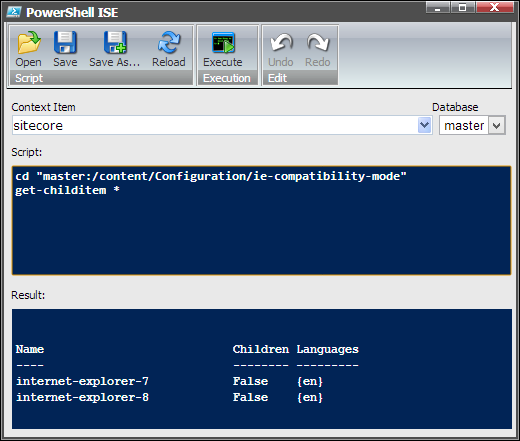
One thing I always wanted to add to the Cognifide PowerShell Console for Sitecore but never had the chance to investigate properly, was GUI and user interaction. For example in a regular PowerShell console when an irreversible action needs to be taken or one that user needs to be notified about – a question is asked:
Unfortunately due to the stateless and non-persistent nature of HTTP connections this is not easily achievable in Sitecore Sheer environment especially since in our case a PowerShell session usually lives in a separate thread within a Sitecore Job.
Reading some time ago the Item Buckets documentation I discovered something really cool called code data sources. We delivered something similar in our internal libraries and it proved super useful ever since. I’ve also recently read a nice article by Ronald Nieuwenhuis on NewGuid about their approach to the subject.
So what a PowerShell and Sitecore nut does when he sees stuff like that? Obviously delivers a scripted data source!
So I’ve finally found a moment (well a few days actually) to follow up on the previous article, and just about time as there are quite a few more tricks that PowerShell can help you with when assessing the quality of your Sitecore solution.
One thing that you need to keep in mind when reading the recommendations is that they are exactly that – recommendations. While Sitecore strongly encourages you that you follow them – I can see how most of those are perfectly fine to be ditched in some situations, you just need to be careful about picking those situations. By the general rule of thumb though, following vendor recommendations is a good thing and they are usually a good metrics of a well put together solution. Most of statistics provided in this post are hard to gather without a scripting solution like Sitecore PowerShell Console or Revolver.
A while ago Jakob suggested that putting the Sitecore PowerShell Console in Visual Studio might not be a bad idea. He even provided me with the boilerplate code that served as a stub for the module (Thanks a million Jakob!).
So after some struggling on my part the new module is now on the Sitecore Marketplace. There is really not much to write about. If you like PowerShell and Sitecore Rocks you will find it pretty neat. Otherwise I’m afraid those are not the droids you are looking for
Recently I’ve been asked to audit a site for one of our clients. Overall for a fairly seasoned Sitecore developer it’s rather obvious what to look for in a site and get a feel for whether an a solution is thoroughly thought through or just put together using brute-force development. You can usually tell if the implementation is sloppy or excellent, but how do you quantify that feeling to give the objective view to the person reading your report? Looking at the Sitecore Developer Network I’ve found the following set of recommendations. This is a great help with codifying how a proper Sitecore implementation should look like, what should we pay attention to and most importantly it’s a great reference when you’re trying to prove that your feeling is something more than just nitpicking but rather an industry standard that the developers should adhere to. I recommend strongly that you look at it and think how closely your practices match those that Sitecore recommends.
With the latest update of PowerShell Console For Sitecore can run the PowerShell environment in your application and take advantage of its scripting power, by getting the results out of it and pulling them into your app.
There is a lot of new stuff in the imminent 2.0 release of the PowerShell Console for Sitecore. Some of it is fairly obvious like the improved console window, some of it not so much. The aim of the console has always be to enable Sitecore developers to extend the CMS in new exciting ways. For this to happen it had to become a mini-platform on its own. So far you could use it to add scripts to ribbons and menus, write scripted tasks and execute scripts just by launching them from a URL call.
That’s extending Sitecore with PowerShell but what about PowerShell itself?
One of the coolest features introduced in 2.0 is the ability to write your own commandlets. Sure you could always use PowerShell to do it and write commandlets in script. But then the caveat was that you had to attach such commandlets to your own scripts (or put them in the initial script that would have to execute prior to the console). Now I’m talking about writing the real commandlets, just like those that come with the PowerShell console itself. Starting from 2.0 the console does not default to only attach commandlets that come with it, but can also scan other assemblies to attach your commandlets. To add your own all you have to do is well.. write them but then? all you have to do is to use the standard Sitecore include mechanism to enable the console to find them.
While I’m updating it on a separate page I thought for the purpose of having a record and further tracking - it would be interesting to capture the state of the PowerShell knowledge in the Sitecore community here as well.
Most of this post is also based on the Microsoft’s Windows PowerShell Quick Reference however despite the sharing scripting runtimes the nature of the both shells differ considerably as described in the previous post: Sitecore PowerShell Console cheat sheet – Part 1. In all cases where it made sense I’ve converted the samples to establish them in Sitecore scenarios.
How to Write Conditional Statements
To write an If statement use code similar to this: